What I Asked For
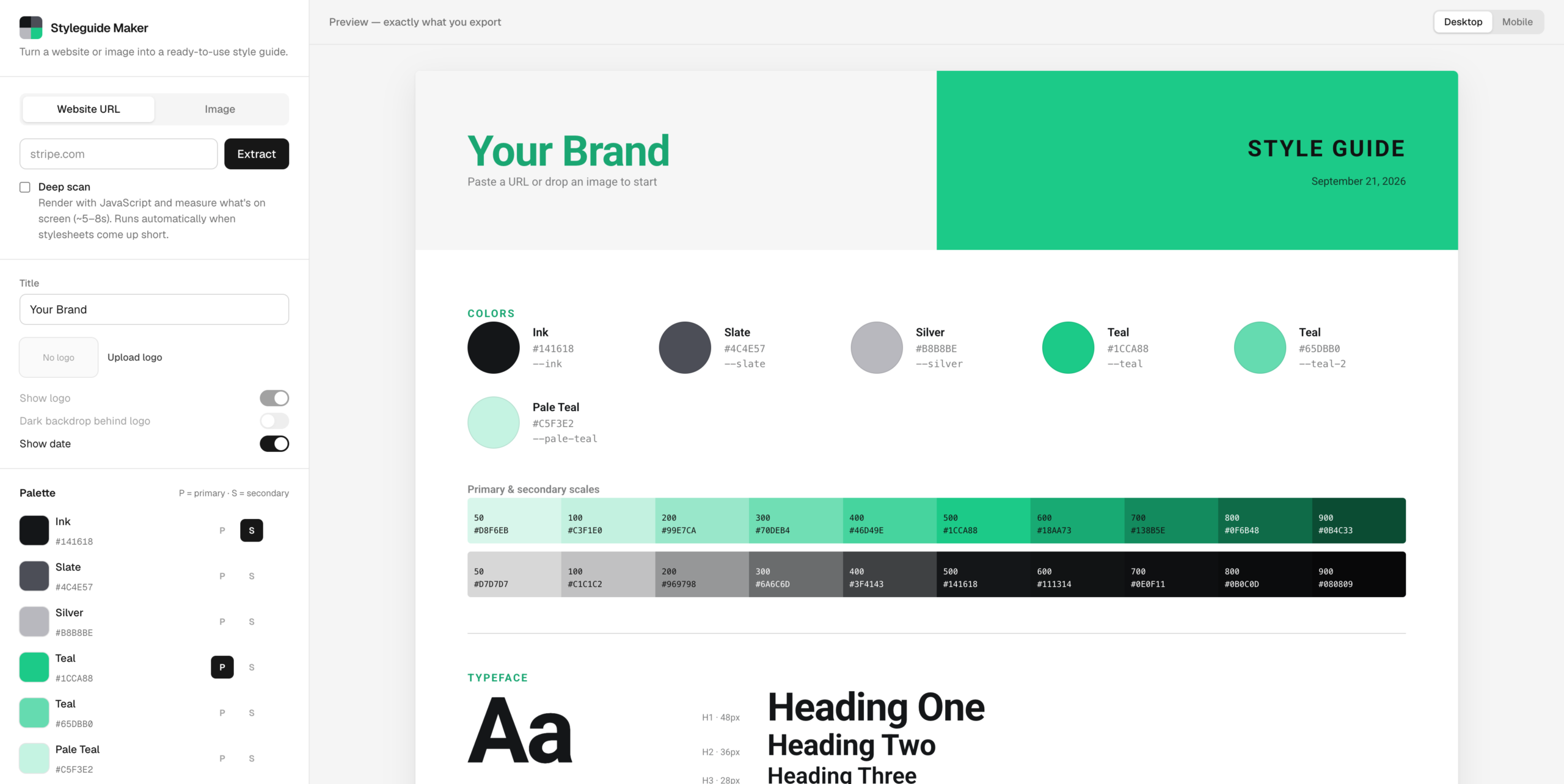
A style guide is a page nobody wants to make. It’s the swatches, the type scale, the buttons in every state, the form fields with their error messages, all laid out so the next person doesn’t have to guess what shade of green the brand is. Styleguide Maker makes that page from either a website URL or an image. The hard part is that the two inputs are completely different problems. A website already knows its colors and just has to be asked. An image knows nothing and has to be looked at.
The image side is the simpler one. Every pixel gets dropped into one of 4,096 buckets, and the most crowded buckets win, with one rule: a new color has to be far enough from every color already picked. That distance starts strict and relaxes until six colors make the cut. Without that rule, a photo of a green field returns six greens. With it, you get the field, the sky, and the fence.
The website side started with a reasonable assumption: modern sites declare their colors as CSS variables, so read the stylesheets, collect the variables, and rank them by how often the rest of the CSS uses them. Anything named primary, brand, or accent gets a thumb on the scale. That works well on sites that publish tokens. Stripe comes back with its exact purple, #533AFD, and its whole brand scale.
It fell apart on Linear, which returned the colors of its syntax highlighting. Plenty of sites load their styles with JavaScript, or ship stylesheets full of code-sample palettes, embedded tweet widgets, and cookie banners, none of which are the brand. The fix was a deep scan. When the quick pass comes up thin (fewer than four colors, nothing with real saturation, or no fonts), a headless browser loads the page like a visitor would, lets its scripts run, and measures what’s actually painted on the first few screens. Colors are ranked by how much of the screen they cover, and matched back to the site’s variable names where they exist. The primary color comes from the biggest colored button near the top of the page, because that’s the one a designer argued about. A white button on a white page doesn’t count. Vercel’s black button does.
Waiting for a headless browser takes time, and the rule was that it could take up to eight seconds if it had to, as long as it didn’t feel like eight seconds. So the server streams its progress as it goes, and the loader shows real stages instead of a spinner. A color ring spins through a rainbow until the first colors come back, then spins through the site’s own colors, with swatches popping in and orbiting inside it. The checklist underneath ticks off each step, including the honest one: “Styles look JS-loaded, launching headless browser.”
The guide itself had to survive whatever a site threw at it. Linear’s primary color is a pale grey, which made the style guide’s own title nearly invisible on a light page. So the guide derives a second version of the primary for anything used as text, darkened step by step until it clears a 3:1 contrast ratio. Logos had a similar problem. The logo finder pulls the actual wordmark from the rendered header, but a lot of wordmarks are white because they sit on dark headers. The app checks how light the logo is and quietly puts it on a dark chip when it would otherwise disappear.
One idea got cut before it was built: identifying fonts from an uploaded image. It could be done by sending the image to a vision model, but the image mode’s whole promise is that your image never leaves the browser. Picking the font yourself turned out to be a fair trade for that.
What It Is
Styleguide Maker is Next.js 16 and TypeScript, about 2,900 lines, deployed on Vercel at styleguide-maker.vercel.app. It was built in a day. The style guide you see in the preview is rendered from exactly the same HTML and CSS you copy out, so there’s no gap between what you look at and what you get. It exports as a PNG at double resolution, as HTML and CSS, or as one standalone file, with the logo and fonts embedded so nothing breaks when it’s opened somewhere else.
The first version of the deep scan took 14 to 26 seconds in production, which is much longer than a loader can disguise. Most of that time was spent copying every stylesheet back out of the browser, even though the quick pass had already downloaded them. Now it only reads the styles that scripts add while the page runs. Deep scans land in about five to nine seconds, and the quick pass still finishes in about one.
The hardest problem wasn’t color at all. An app that fetches any URL you give it is also an app that fetches URLs an attacker gives it, including addresses inside the server itself. The original check for private addresses looked fine and had a hole: an IPv6-wrapped version of the loopback address slipped straight past it. On the live site, that let a request reach the internal API of the function that runs the app. The fix was to stop hand-writing address rules and check the actual address at the moment each connection opens, so a domain can’t pass the check and then point somewhere private. The headless browser got stricter treatment still. All of its traffic runs through a small proxy that applies the same check to every request, including ones from popups and background workers, which ordinary request filtering never sees. A test page that tried six different ways to reach a local server got through zero times.
The rest is ordinary caution for a free tool that might get traffic. Each visitor gets twelve scans a minute and four deep scans. Each server runs at most two browsers at a time, and when it’s busy, you get the quick scan instead of an error.
It’s a small tool for a boring page. The boring page is the one everyone needs. Try the Styleguide Maker