What I Asked For
Anyone who runs a small business website ends up running a stack without ever deciding to. There’s WordPress, the host under it, the DNS in front of it, a CRM, a payment processor, a sync plugin that moves members between two of those, a Zapier account holding the whole thing together, and a dozen paid plugins, each renewing on its own date. Each piece has its own login page and its own renewal email, and each needs some chore done every few months that nobody remembers until something breaks. Stack Ledger is one page that answers three questions about all of it: what do I have, what does it cost, and what needs doing.
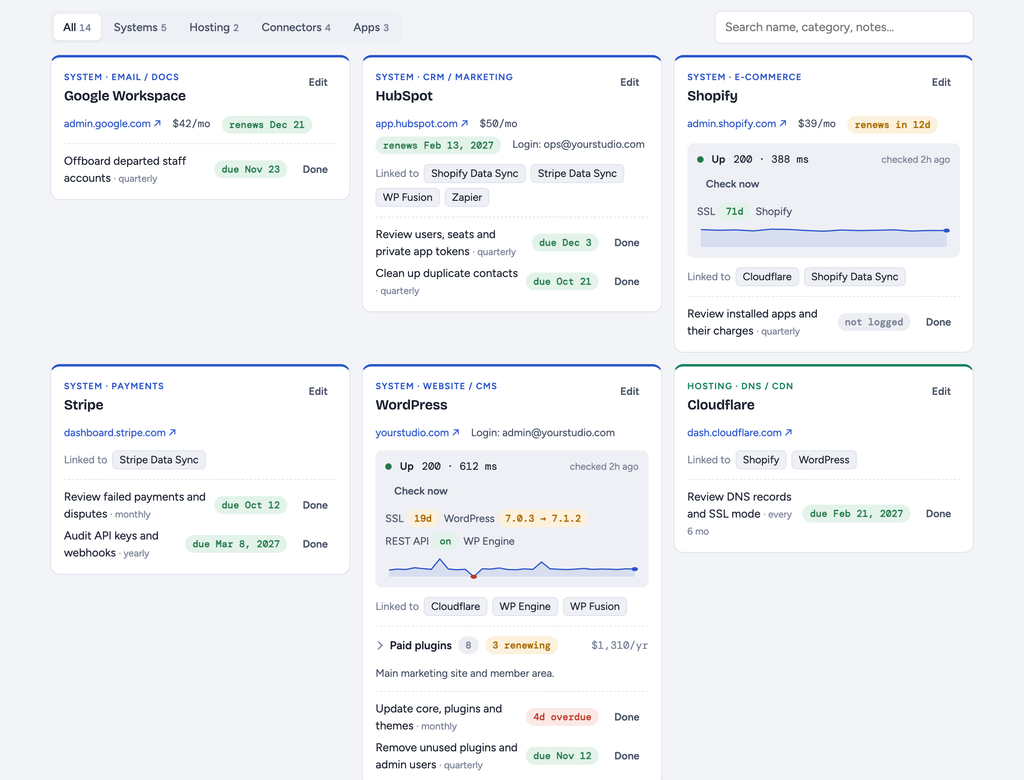
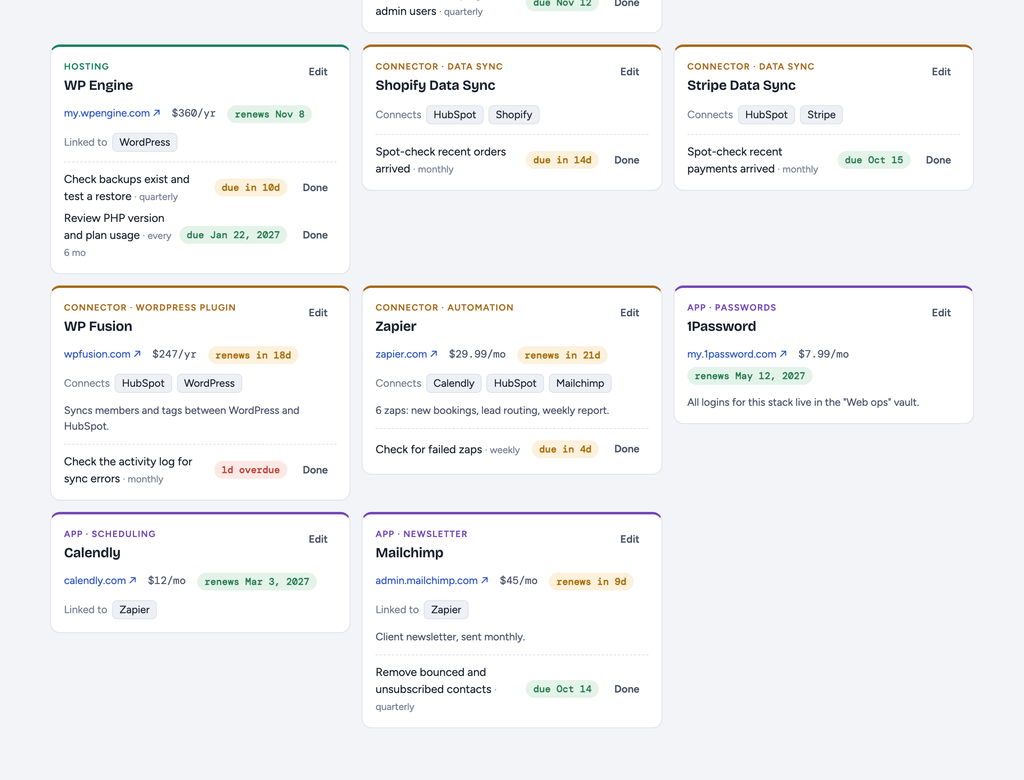
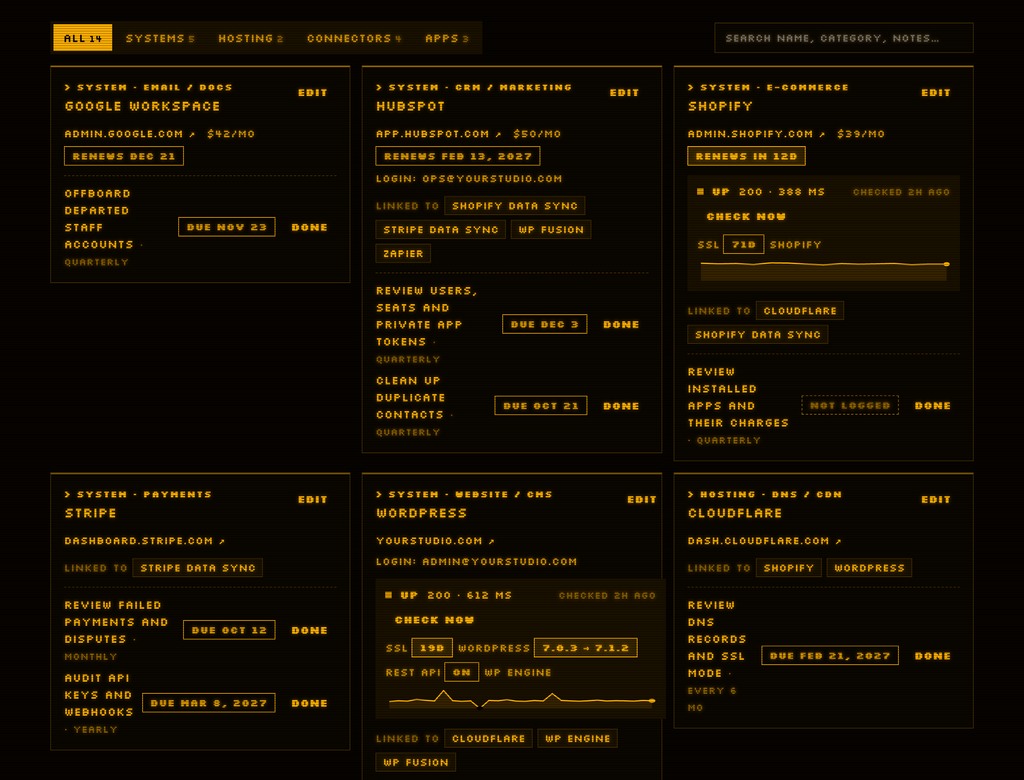
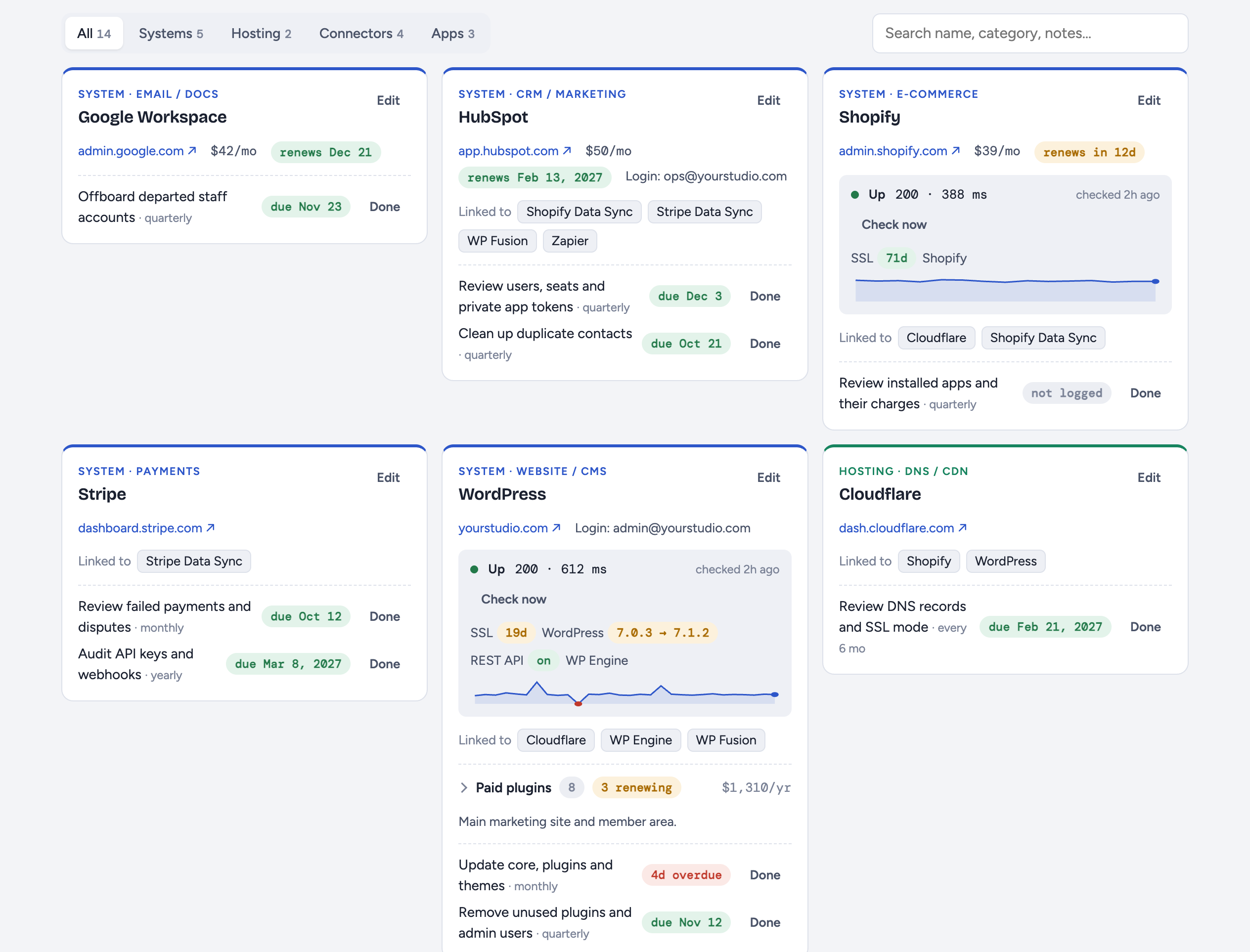
The design problem is that a stack is not a list. Things connect to other things, and some things live inside other things. So every item is one of five kinds. A system is a platform you run on. Hosting is where it lives. A connector moves data between systems. An app is a tool you use on the side. A plugin is a paid add-on that lives inside a system. Connections are stored on one side and shown from both, so linking WP Fusion to HubSpot means HubSpot’s card also says it’s linked to WP Fusion. Nobody has to keep both sides in sync by hand.
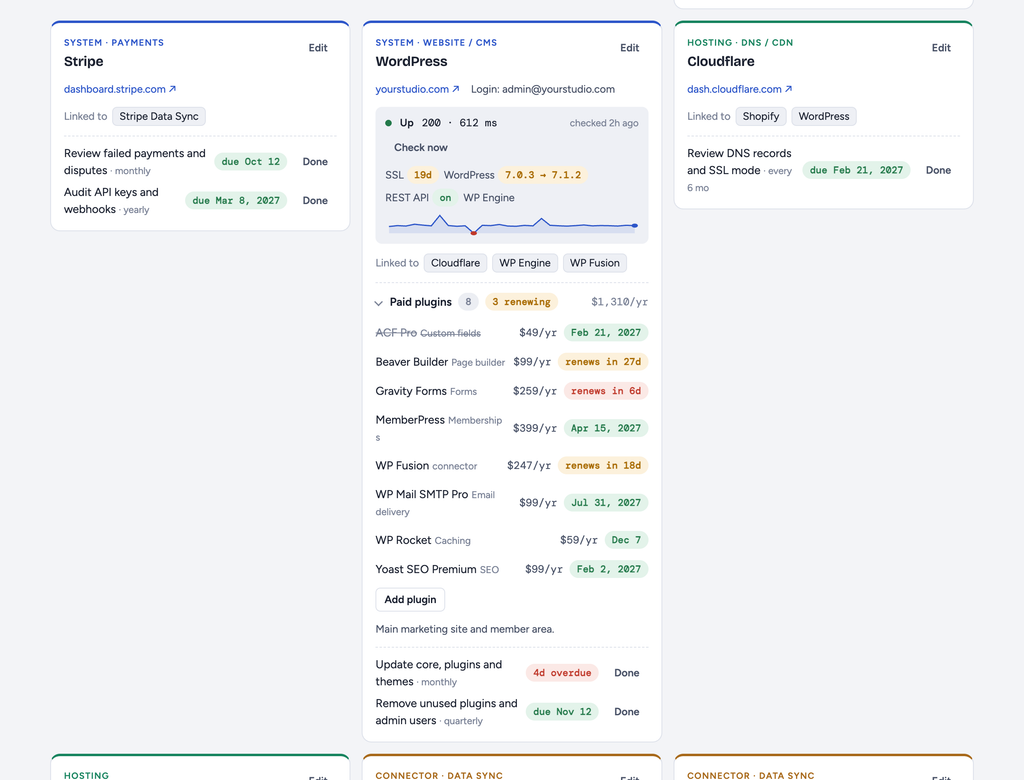
Plugins were the awkward case. Twenty paid WordPress plugins as twenty cards would bury everything else on the page, so plugins fold into a collapsible list inside their parent’s card, with a count, a yearly total, and a flag for how many renew soon. A plugin whose parent gets deleted gets a card of its own rather than disappearing. Connectors are the exception that proves the rule: WP Fusion is technically a WordPress plugin, but it’s also the thing syncing your members to your CRM, so it keeps its own card and shows up in the plugin list too. Anything marked as retiring gets struck through, which is a quiet way of saying “don’t renew this.”
Upkeep is modeled as recurring tasks, not reminders. Each task has a title, a frequency in days, and the date you last did it. The due date is computed from that, so there’s nothing to reschedule: you press Mark done and it tells you when it’s next due. A task you’ve never logged shows as “not logged” instead of pretending to be overdue. Anything due within 14 days turns amber, and anything at or past due turns red.
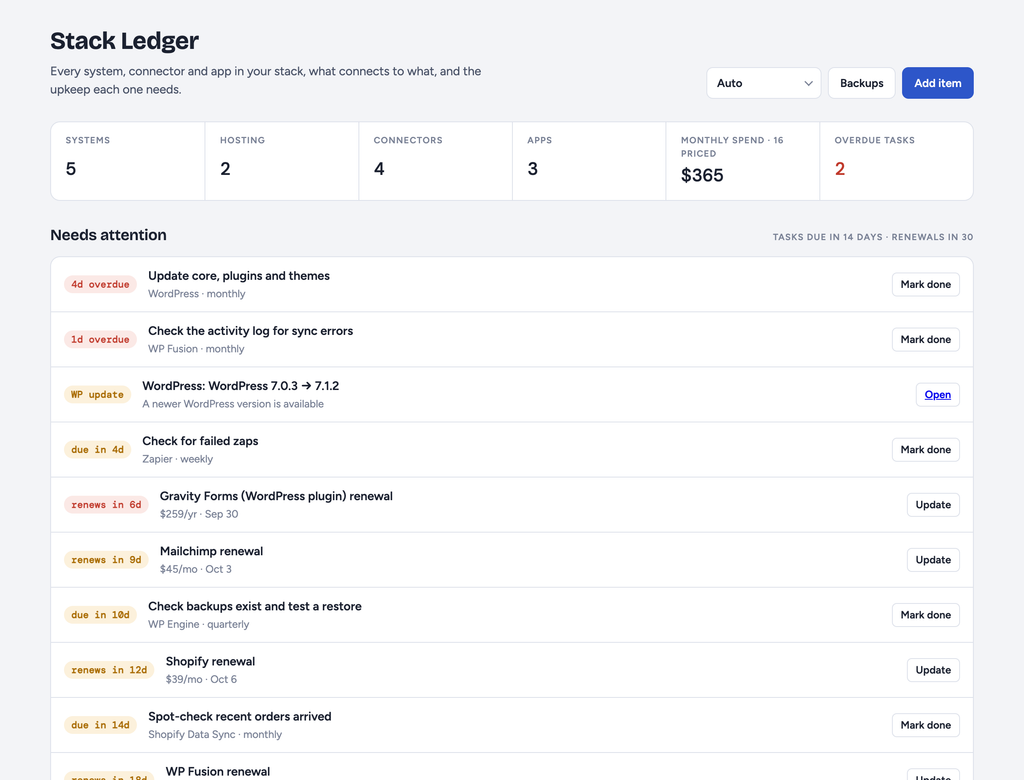
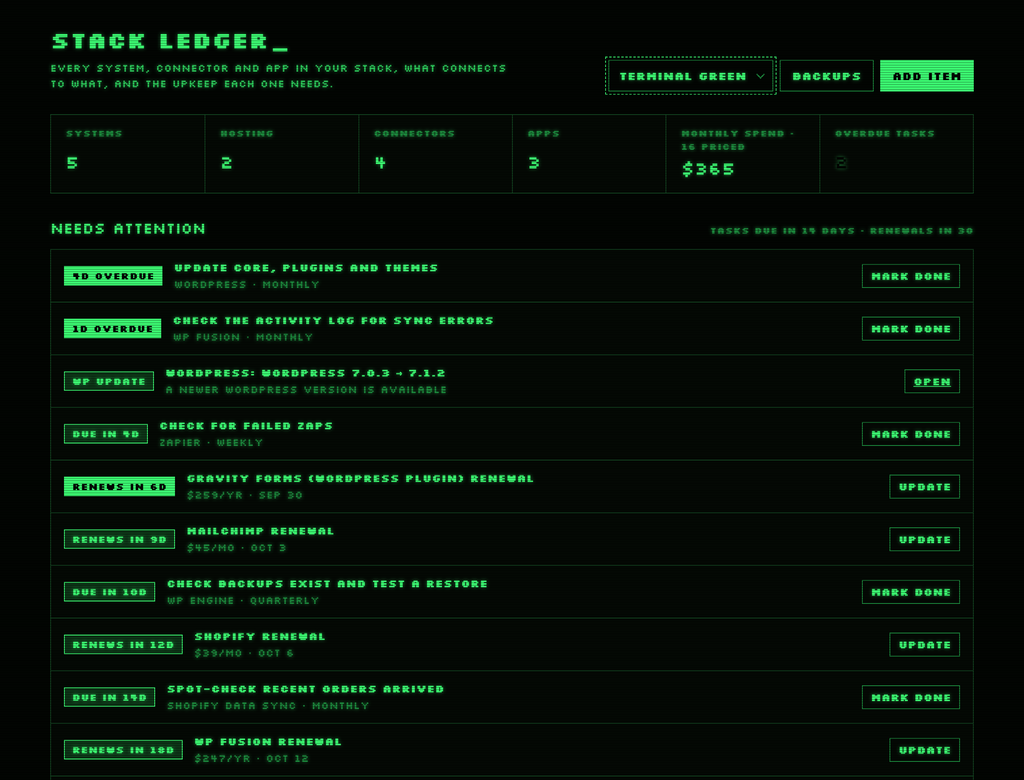
All of that feeds a single section at the top called Needs attention. It pulls tasks due in the next 14 days, renewals in the next 30, SSL certificates with three weeks or less left, sites that are down, and WordPress installs behind the latest release, then sorts everything into one list by how soon it bites. That list is the product. The cards below it are the reference manual.
The site checks are the part that does work while you’re not looking. Give any item a URL to monitor and once a day the server checks whether it’s up, how long it took to respond, when its SSL certificate expires, and which version of WordPress it’s running, compared against the latest version from WordPress.org. It keeps the last 30 results per site, so a slow day or a single outage shows up as a blip in a history rather than an alarm you already missed.
What it doesn’t do matters as much. There are no accounts, no logins, and no cloud. It listens only on your own computer, and the README says plainly not to expose it to a network without adding a login first. There’s no sync between machines either. You pick one computer as the main one, and moving data is a deliberate export and restore, because two copies quietly merging is how ledgers end up wrong.
What It Is
Stack Ledger is a Node server with zero dependencies and a single HTML page, about 1,200 lines in total: roughly 300 for the server, 830 for the page, and a short demo data file. It needs Node 18 or newer and nothing else, so there’s no install step, no build step, and nothing to update. It runs at localhost on port 4321, and a small script registers it as a Mac login item that restarts itself if it stops. That second part isn’t optional in spirit, because the daily site check only happens while the server is running.
Most of the engineering went into not losing data. The ledger is a JSON file, and every write goes to a temporary file first and is then renamed into place, so a crash mid-save can never leave half a file behind. Writes run one at a time, in order. Every change triggers a snapshot, but snapshots wait three seconds for things to settle, so editing five fields in a row produces one snapshot labeled with what changed rather than five. The newest 50 are kept. On top of that, a dated copy goes to your Documents folder once a day, outside the app folder entirely. Restoring anything, from a snapshot or a file, takes a snapshot first, which means a restore can itself be undone.
The page checks every 15 seconds whether anything has changed and redraws if it has, but it skips the check while the tab is hidden or while you’re halfway through editing something. The server also refuses any write that didn’t come from its own page, which is the minimum a local app owes you when every other tab in your browser can see localhost.
There are four themes: light, dark, and two terminal skins, green and amber, which drop the color coding and put a prompt in front of every label. There’s also a demo page that serves the same interface filled with a fictional studio’s stack. Its dates are generated relative to today, so it always shows a realistic mix of overdue, due-soon, and healthy states, and it never reads or writes the real ledger. That made the screenshots possible without publishing anyone’s actual renewal dates.
It is not a clever piece of software, and it isn’t trying to be. It’s the spreadsheet everyone means to keep, except this one checks your sites every morning.