What I Asked For
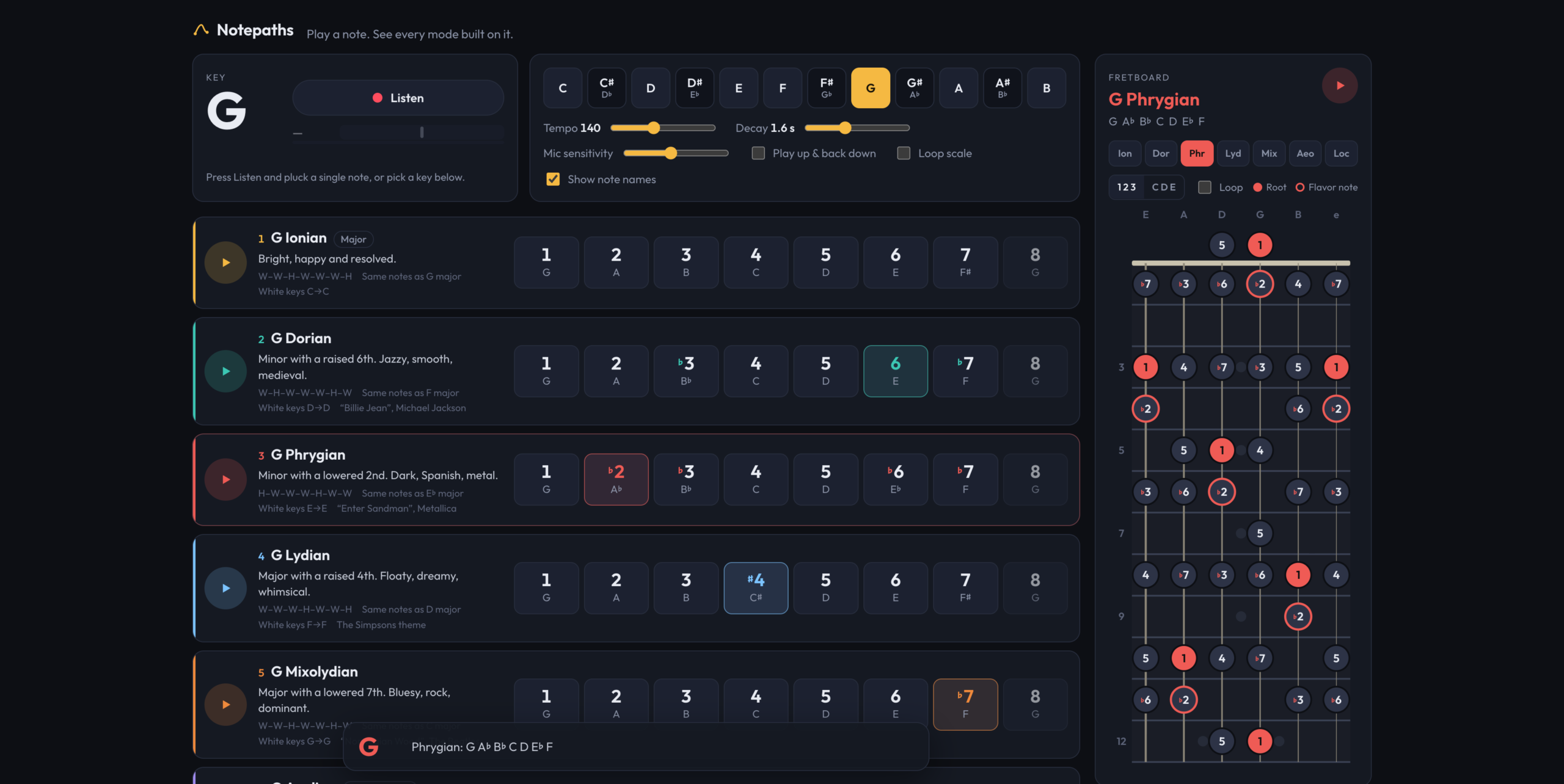
The usual way to teach the modes is to take the C major scale and start it on a different white key. D to D is Dorian, E to E is Phrygian, and so on up to B. It’s tidy, and it hides the thing that matters. Every one of those scales uses the same seven notes, so to the ear they all sound like C major that forgot where home is. A mode’s character only shows up when the root stays put and the intervals move around it. Notepaths is built on that idea. You play one note, and it shows you all seven modes on that note, stacked so you can hear what each one changes.
So the white-key version is still there, but as a footnote. Each mode’s card lists its step pattern, the major scale it borrows its notes from, and the white keys it would cover in C. The main event is the row of degrees: seven numbered buttons plus the octave, marked against the major scale, so Dorian reads 1, 2, ♭3, 4, 5, 6, ♭7. Every mode also has a flavor note highlighted, which is the one degree that separates it from its nearest neighbor. For Dorian it’s the natural 6th, for Lydian the raised 4th, and for Mixolydian the flat 7th. Locrian gets two, the ♭2 and the ♭5, because Locrian is a lot. Tap a degree and you hear it, along with its proper name (“minor 3rd”, “augmented 4th”) and, when it’s the flavor note, a line saying so.
The input is a guitar, not a keyboard. Press Listen, pluck a single note, and the key changes to that note. It changes again on the next note you hold. This turned out to have an obvious failure that’s easy to miss: the app plays notes too. Play a Dorian scale through laptop speakers with the mic open, and the mic hears the scale and changes the key on every degree. The fix is that the app ignores the mic while its own tones are ringing. Each note marks the synth busy for a little over half of its decay time, about the point where the tail is 40 decibels down, plus an eighth of a second of margin. That’s long enough that the app can’t hear itself, and short enough that you don’t feel it ignoring you.
Spelling the notes correctly took more care than it sounds like it should. A scale has to use each letter name exactly once, so F Lydian has a B natural, not a C flat, and a mode on C sharp can’t just reuse the names a mode on D flat would get. Notepaths tries every possible spelling of the root, scores each by how many accidentals the resulting scale needs, and keeps the cleanest one. On a tie it prefers flats, which is why you get D♭ major rather than C♯ major.
All playback is moved into one octave, G3 up to F♯4, wherever the key is. That range carries on laptop and phone speakers, and it keeps a scale in E from rumbling while a scale in D♯ squeaks. Tempo runs from 60 to 260 beats per minute, and decay from a fifth of a second to four seconds. Scales can play up and back down, and they can loop. Each pass of the loop picks up the current tempo and decay, so you can adjust them while it plays.
There’s also a quiz mode, though it isn’t called that. Turn off “Show note names” and every degree shows a question mark until you tap it. Then you’re working from the numbers and your ear, which is the point.
The fretboard came next. It shows the selected mode on frets 0 through 12 in standard tuning, because the pattern repeats from the 12th fret up. The neck runs down the screen with the low E on the left. Dots can show degree numbers or note names, and the root and flavor notes are colored. Unlike the degree buttons, tapping a dot plays its real pitch, so the open low E is an actual E2. When the mic is on, every position of the note you’re playing lights up, so plucking a note shows you every other place on the neck you could play it.
Try Notepaths
What It Is
Notepaths is TypeScript and Vite with no framework: about 1,070 lines of TypeScript, 1,060 lines of CSS, and a 105-line HTML page, deployed on Vercel at notepaths.vercel.app. The only runtime dependency is a font. All six commits are from one October evening.
Everything is drawn with plain DOM and SVG. The fretboard is generated SVG built from about a dozen geometry constants, with the wound low strings drawn thicker than the plain high ones. On a wide screen it’s a sidebar next to the modes, and below 1,100 pixels it becomes a full-screen overlay. Settings save to the browser.
The sound is synthesized live with no samples. Each note is a triangle wave, some sawtooth for bite, and a quiet sine an octave up, run through a filter that starts bright and closes over half a second. That imitates a string losing its upper harmonics after the pick. It isn’t a guitar, but it’s close enough to hum along with.
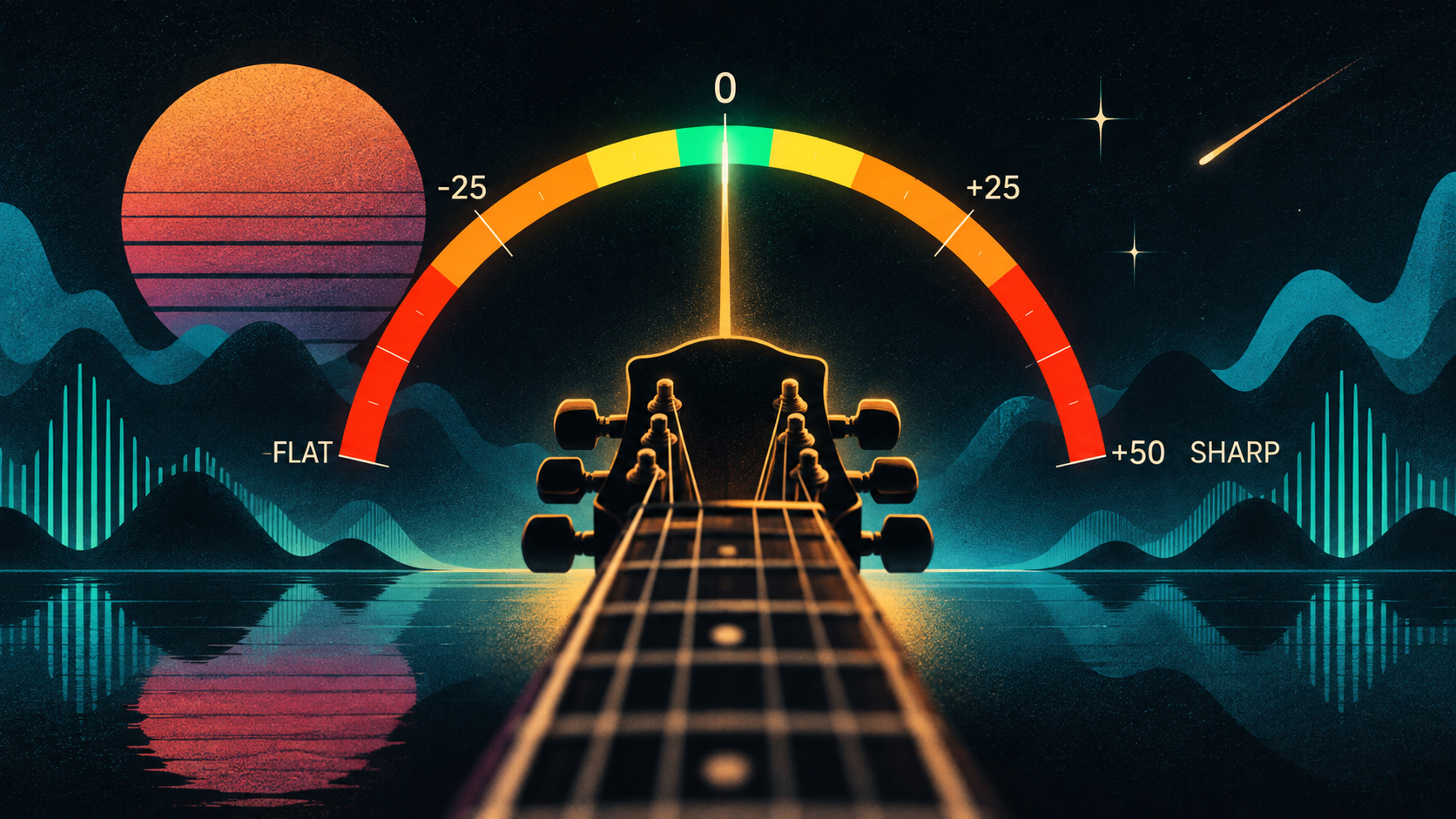
The hard part is hearing the guitar. Pitch detection uses the McLeod method, which compares the signal to delayed copies of itself and looks for the delay where it lines up best. That holds up against a guitar’s strong overtones, which tend to fool simpler detectors into reporting the wrong octave. The detector looks at 2,048 samples at a time, about 43 milliseconds, which is enough cycles of a low E to measure. It halves the sample rate first, since guitar fundamentals stay well below 2 kHz, and searches between 55 Hz and 1,500 Hz, from below a drop-tuned low string to past the 24th fret on the high E. A reading only counts if it’s at least 88 percent clear, and a note only changes the key after five frames in a row agree, about 80 milliseconds. Pick noise and octave flicker rarely agree for that long. The mic is also opened with echo cancellation, noise suppression, and automatic gain turned off, because processing designed for voice calls flattens a guitar’s sustain. The detector itself was borrowed from Shredlight, an earlier project that had already solved listening to guitars. Since you’re plucking single notes into a microphone anyway, a small tuner needle next to the Listen button turns green when you’re within 8 cents.
Notepaths is for the moment after you learn the names of the modes and before you can hear them. Play a note and find out.