What I Asked For
I work on a learning management system every day, which is a strange reason to build another one, and also the best one. A big LMS is mostly configuration: permissions, integrations, reporting, settings for settings. Under all of that sits a small idea. Someone puts lessons in an order, someone else works through them, and somebody needs to know who finished. The whole brief was one line: a simple LMS that sits behind a login, designed in Figma first.
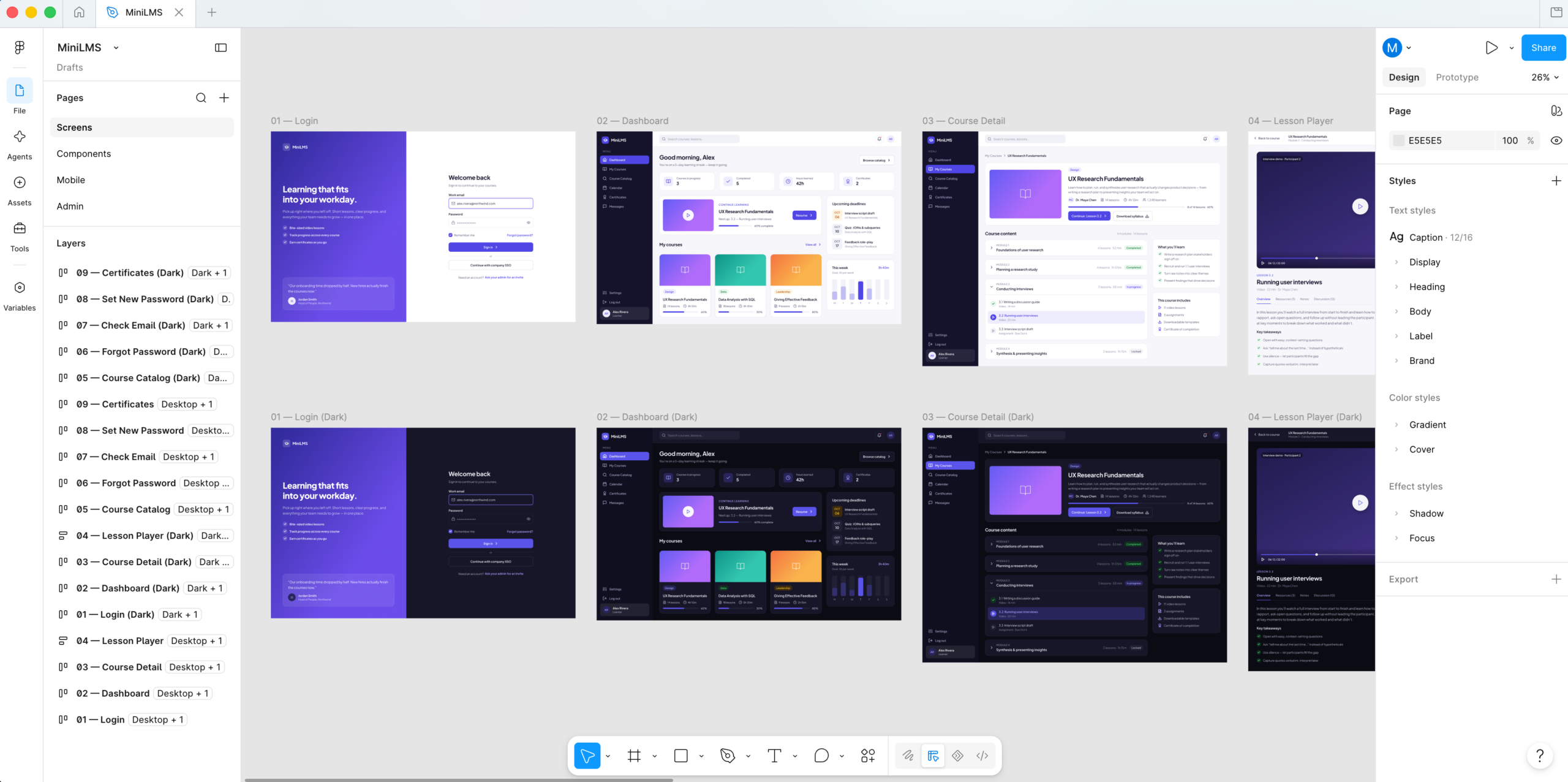
The design happened entirely through the Figma MCP, in a new file built from nothing. There was no existing design system to borrow, so the foundation came before any screen: 29 color variables with a light and a dark value each, a spacing scale from 2 to 56, five corner radii, four shadow styles, nine gradients, and twelve text styles set in Plus Jakarta Sans. Then came components (buttons, badges, inputs, course cards, lesson rows, a sidebar), and only then the screens. The learner and sign-in side ended up as nine desktop screens. Mobile got five more at phone size, sharing the same tokens plus a responsive set that shrinks headings and page padding. The admin side got eight, desktop only, because admin work happens at a desk. Every screen exists in light and dark. Nobody asked for a clickable prototype, and nobody missed it.
Figma pushed back in small, specific ways. Resizing a component quietly reset its height, so inputs and table cells collapsed to slivers. Resizing auto-layout children inside an instance is silently ignored, which meant every stacked progress bar on the assignments table showed the same split until the bar was rebuilt so each segment’s width alone set its position. Spacing values that weren’t on the scale, like 14 or 28, simply didn’t apply. The chart colors were checked against a contrast validator, and the lightest shade of the stacked bars failed the 2:1 minimum in both modes and had to be darkened. A drawn-in tooltip claimed a total of 906 while the bars beneath it added up to 900. Fixed before a line of app code existed.
Then the build. The first rule is that nothing is public. Every page except sign-in, password reset, and invite acceptance sits behind the login, and sign-up is restricted so only invited people can create an account. That raises the obvious question of who invites the first person. The answer is a rule rather than a setup screen: the first person to sign in becomes the workspace admin, but only while no admin has a real account yet. After that, everyone arrives through an invite, and the role and team in the invite apply the moment they sign in. Learners get a dashboard, their courses, a catalog, and certificates. Instructors and admins also get course editing, learner management, assignments, and reports.
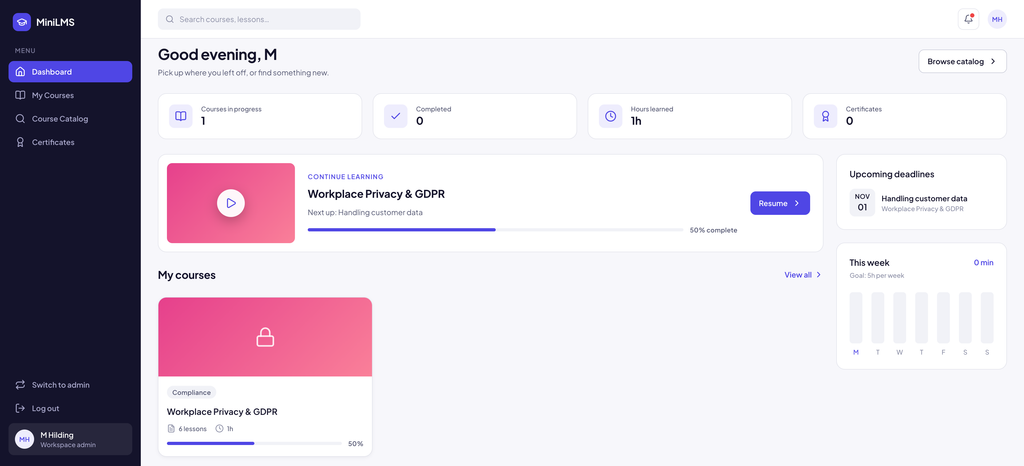
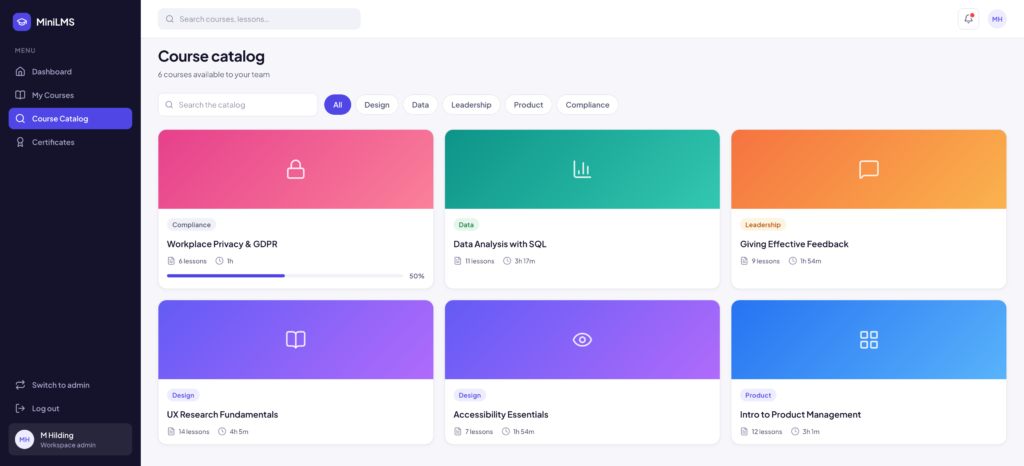
Courses are modules full of lessons, and each lesson is a video, a reading, a quiz, or an assignment. By default only the first unfinished lesson is open and everything after it is locked. Open a later lesson by typing its address and you’re sent back to the current one. The Next button stays disabled while the next lesson is locked. A finished lesson’s button reads “Mark incomplete” when you hover it, because people mis-click and the fix shouldn’t require an admin. Finishing the last lesson lands you on the course page with a completion banner and issues a certificate with its own code. Assignments put a course in front of one or more teams, or everyone, with a due date. Everyone targeted is enrolled automatically, including people who join later, and an admin can send overdue reminders whose reply-to address is the admin, so a reply goes to a person.
Most of the second day was spent removing small dishonesties. The reports charts scaled with the window, so their axis labels grew and shrank and the ticks landed on uneven numbers like 0, 2, 5, 7. They now draw at real pixel size with ticks on steps of 1, 2, or 5. Plain counts had been wearing trend arrows, like a red down arrow next to “Not started”, so they now get a caption instead of a fake percentage. Invited people show a dash for progress instead of 0%, because they haven’t started, not failed. The greeting says good morning in your time zone rather than the server’s. None of these are features. All of them are the difference between a dashboard you trust and one you squint at.
What It Is
MiniLMS is Next.js 16, React 19, and Tailwind 4 in TypeScript, about 3,700 lines of app code plus a 250-line seed script. Clerk handles sign-in, Neon Postgres stores everything through Drizzle, Resend sends the reminder emails, and it’s deployed on Vercel at minilms-zeta.vercel.app. Design and build together took two days.
The Figma file isn’t a picture the code imitates. The app’s colors, light and dark themes, spacing, and chart palette are the Figma variables carried over by name, the interface pieces mirror the Figma components one for one, and the demo data was written to match what the mockups show. When the sign-in screen first rendered, the check was simply whether it matched the design. It did.
The data model is nine tables, and the main architectural choice is that pages don’t ask the database clever questions. Each request loads every table in parallel, once, and each page works out what it needs from that snapshot: progress, streaks, weekly minutes, overdue lists, completion by team. For a few hundred people that’s fast and keeps the logic in one language. For many thousands, the busiest calculations would move into the database, and that trade is written down rather than discovered later. A seed script builds 44 people across 7 teams, 8 courses (one draft, one archived), six assignments due anywhere from three days ago to a month out, and two quarters of history, all from a fixed random seed so every reset looks the same. “Download PDF” on a certificate is the browser’s own print dialog on a landscape page, which is free and works everywhere.
The seeded courses are corporate: UX research, SQL, giving feedback, workplace privacy. That’s the habit of the day job. The plan for this copy is different. Swap the teams for kids, fill the catalog with courses on vibe coding and web development, and the same machinery becomes a home school: lessons that unlock in order, a due date for the week, a reminder email when something slips, and a certificate when it’s done. The streak counter on the dashboard will do most of the motivating. It’s a small LMS for a very small school.